
Ofei Family Bills
Text message reminders
Ofei Family Bills sends bill reminders by text message only to family members who turn them on themselves.
How someone opts in
- They sign in to the app with their own email address (invited family members only).
- They open My settings, type their mobile number, and tick the Text message box, which is unticked by default.
- Next to the box, the app shows the consent wording below. Ticking the box and pressing Save is their consent.
- The app confirms with one text: "Ofei Family Bills: You're signed up for bill reminder texts. Up to 1 msg/day. Msg & data rates may apply. Reply HELP for help, STOP to opt out."
- They can press Send a test to receive one test text.
Screenshots from the app
My settings page, with a demo account. Texts are optional and the box starts unticked.
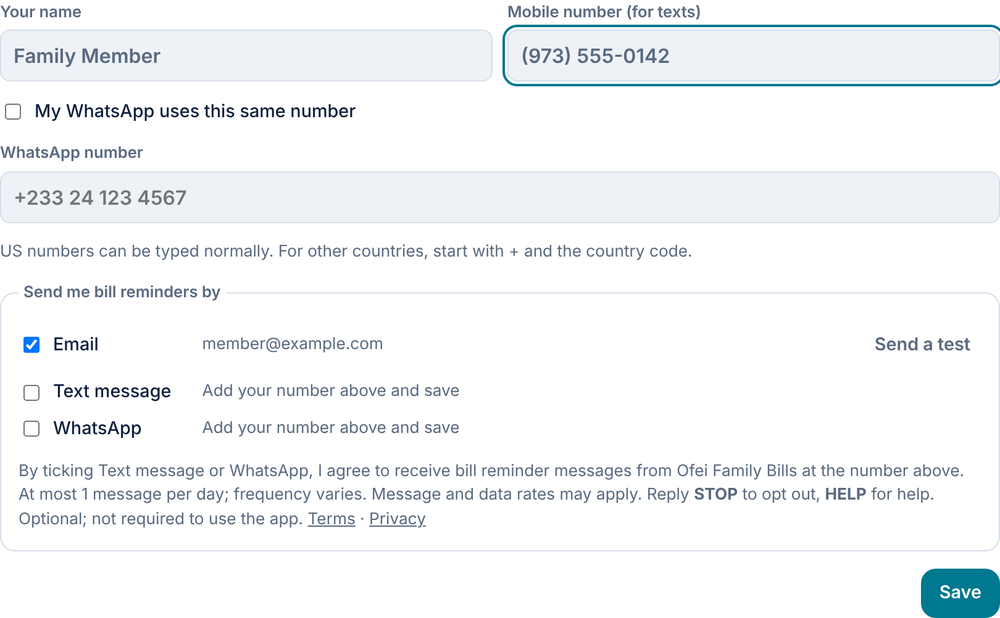
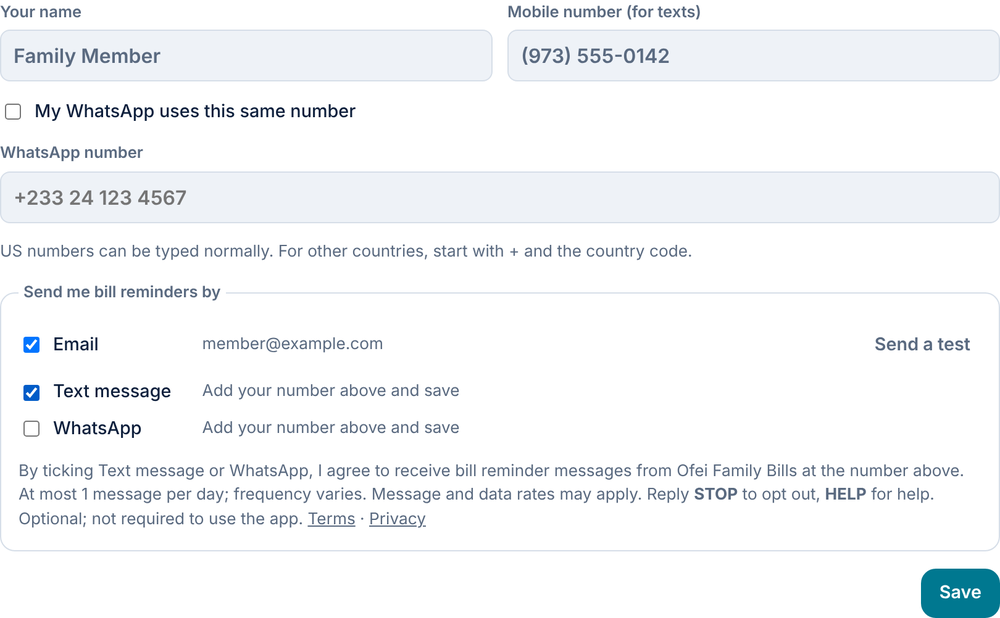
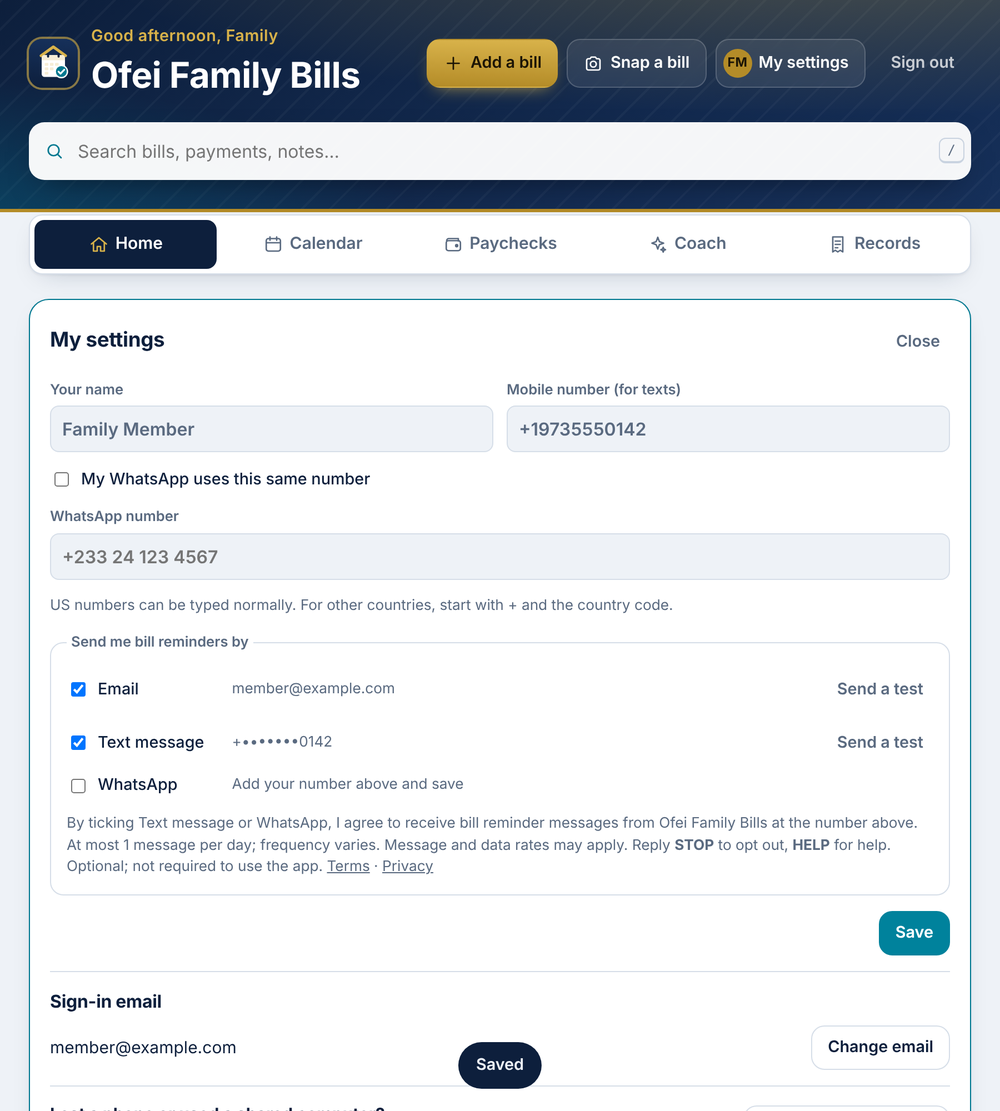
What they see in My settings
By ticking this box, I agree to receive bill reminder text messages from Ofei Family Bills at the number above. At most 1 message per day; frequency varies. Message and data rates may apply. Reply STOP to opt out, HELP for help. See our Terms and Privacy Policy.
Example messages
- "Ofei Family Bills: Car note (Santander) $380 due in 3 days (Sat Nov 7). https://www.ofeibills.com Reply STOP to opt out."
- "Ofei Family Bills: Optimum $230 is 1 day late. Mark it paid in the app: https://www.ofeibills.com Reply STOP to opt out."
- "Ofei Family Bills: This is a test text from your bill reminders. Reply STOP to opt out."
Opting out and help
Reply STOP to any message to stop all texts, or untick the box in My settings. Reply HELP for help, or email aofei09@gmail.com. Message and data rates may apply. Mobile numbers are never shared or sold for marketing.